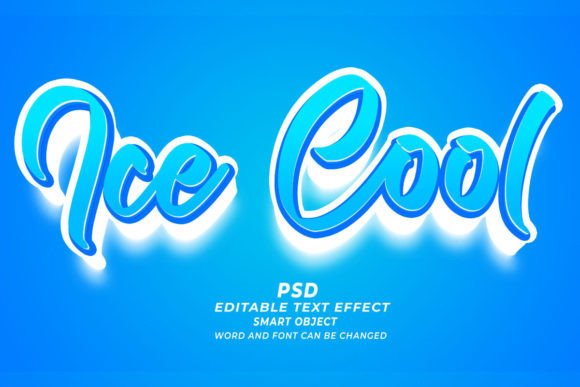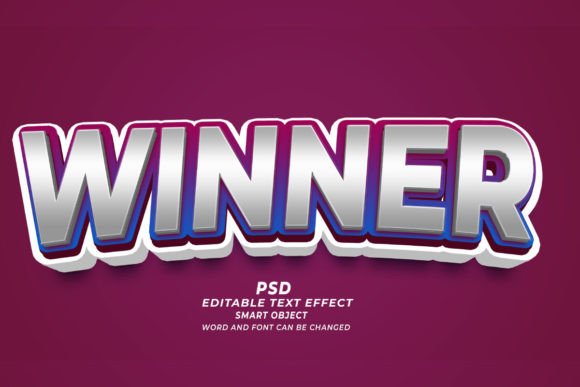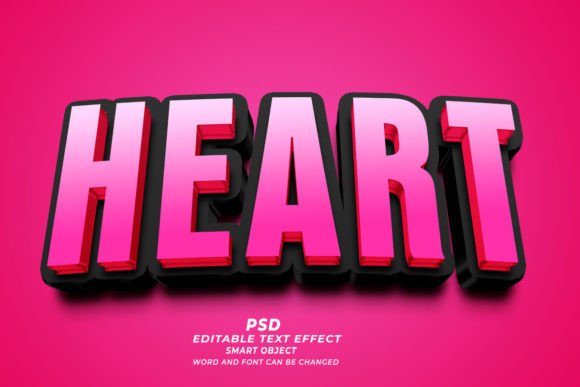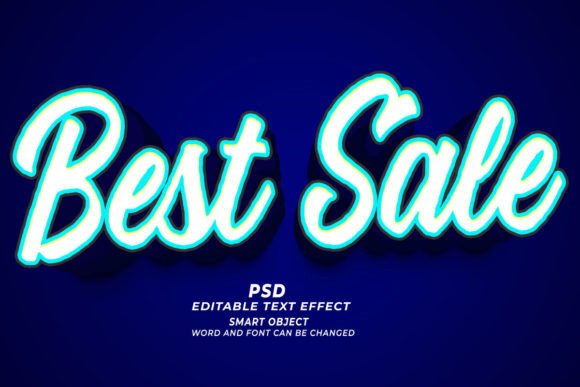
Mastering the Vigo PSD 3D Editable Text Effect for Professional Designs
In the fast-paced world of digital design, efficiency is just as valuable as creativity. Whether you are a seasoned graphic designer, a small business owner managing your own marketing, or a creator launching a new product line, the pressure to produce high-quality visuals quickly is real. This is where tools like the Vigo PSD 3D Editable Text Effect become indispensable. However, simply downloading a template is not enough. Many users stumble not because the tool is flawed, but because they misunderstand how to integrate these assets into their workflow effectively. Understanding the nuances of smart objects, resolution requirements, and licensing can mean the difference between a amateurish output and a polished, professional result.
Understanding the Core Value of Smart Object Templates
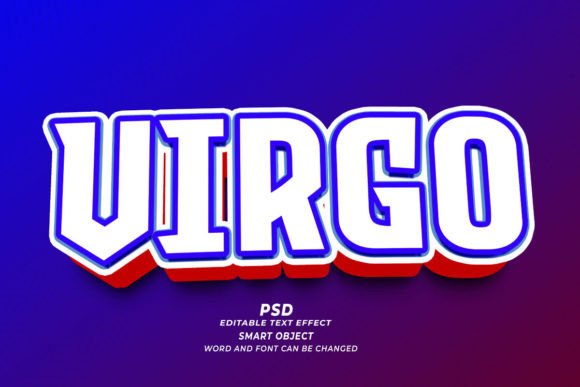
At its heart, the Vigo PSD 3D Editable Text Effect is a pre-configured Adobe Photoshop file designed to save you hours of manual labor. Creating realistic three-dimensional text from scratch involves complex layer styles, lighting adjustments, perspective transforms, and shadow mapping. For beginners, this learning curve is steep. For professionals, it is time-consuming. This template bypasses those hurdles by utilizing Smart Objects.
A Smart Object is a container that holds your original text or shape data. When you double-click the Smart Object layer, a new window opens where you can type your desired text, change the font, or adjust the size. Once you save and close that window, the main document automatically updates to reflect your changes, applying all the complex 3D effects, shadows, and textures instantly. This "click and edit" functionality is powerful, but it requires a basic understanding of how Photoshop handles linked data to avoid common pitfalls.
Common Mistakes That Compromise Quality
While the promise of easy editing is appealing, several frequent errors can degrade the final output. Recognizing these issues early ensures you get the most out of your purchase.
Ignoring Resolution and DPI Settings
One of the most critical oversights occurs when users ignore the resolution settings. The Vigo PSD 3D Editable Text Effect is typically delivered at 300 DPI (dots per inch), which is the industry standard for high-quality printing. If you are designing for a KDP book cover, a T-shirt print, or a physical marketing brochure, this resolution is non-negotiable.
However, some users inadvertently resize the canvas or export the final image at 72 DPI, which is suitable only for web screens. Using a low-resolution file for print results in pixelated, blurry edges that look unprofessional. Always verify your image size and resolution before beginning your edits. If you are creating a web banner, you can downsample later, but starting with high-resolution source files gives you the flexibility to use the same design across multiple mediums without quality loss.
Mismanaging Font Choices and Licensing
Another common misunderstanding relates to typography. While the template allows you to change fonts easily, not all fonts behave well in 3D space. Thin, delicate scripts may disappear or lose legibility when heavy shadows and bevels are applied. Conversely, overly bold fonts might clutter the design if the 3D extrusion is too deep.
Furthermore, users often assume that the fonts used in the preview images are included in the download. In most cases, they are not. You must ensure you have the proper license for any font you substitute. Using a commercial font without a license for a client project or a product you intend to sell can lead to legal complications. Always check the font license and choose typefaces that complement the 3D style of the Vigo effect.
Overlooking Color Mode Compatibility
Designers working on digital-only projects often leave their files in RGB mode, while those preparing for print must switch to CMYK. A frequent mistake is applying the 3D effect in RGB and then converting to CMYK at the very end. This conversion can shift colors dramatically, causing vibrant neon effects to look dull or muddy. It is better to set your color mode correctly at the start of the project. If you are unsure, create two versions: one optimized for screen (RGB) and one for print (CMYK), adjusting the lighting and saturation accordingly.
Maximizing Versatility Across Different Media
The true power of the Vigo PSD 3D Editable Text Effect lies in its versatility. It is not limited to simple social media posts. With the right approach, this single asset can serve multiple purposes in your creative arsenal.
- Print on Demand (POD) and Apparel: When designing for T-shirts or hoodies, ensure your background is transparent. The 3D effect should pop against the fabric color. Use the template to create mockups that show clients exactly how the design will look on a garment, increasing conversion rates.
- KDP Book Covers: Title typography is crucial for book sales. The 3D effect adds depth and prominence to your title, making it stand out in thumbnail views on Amazon. Ensure your text remains legible even at small sizes by testing the design at reduced scales.
- Web Banners and Headers: For digital marketing, the high-contrast nature of 3D text grabs attention. Use the editable nature of the PSD to rapidly A/B test different headlines without rebuilding the graphic from scratch.
Best Practices for Efficient Editing
To avoid frustration and ensure a smooth workflow, adopt these best practices when using the template:
- Organize Your Layers: Before diving into the Smart Object, take a moment to understand the layer structure. Identify which layers control the shadow, the highlight, and the base texture. This knowledge allows you to tweak specific elements if the default look doesn't quite match your brand identity.
- Test with Extreme Text Lengths: The template may look perfect with a short word like "SALE," but how does it handle a longer phrase? Test your design with both short and long text strings to ensure the composition remains balanced. You may need to adjust the scale or position of the text within the Smart Object to prevent clipping or awkward spacing.
- Save Iterations: Never overwrite your original template file. Save a new copy for each project. This preserves the pristine state of the Vigo PSD 3D Editable Text Effect for future use, saving you from having to re-download or repair corrupted files.
Making an Informed Decision
Before integrating this tool into your workflow, evaluate your specific needs. Do you frequently require 3D typography? Do you have access to Adobe Photoshop? While the template is user-friendly, it is not a standalone application; it requires Photoshop to function. If you rely solely on free or mobile-based editors, this asset will not be usable.
Additionally, consider the style compatibility. The Vigo effect has a distinct aesthetic. Ensure it aligns with your brand guidelines. If your brand is minimalist and flat, a heavy 3D effect might clash. However, for brands aiming for impact, luxury, or modern tech vibes, this style is highly effective.
By avoiding common technical mistakes and understanding the capabilities of Smart Objects, you can leverage the Vigo PSD 3D Editable Text Effect to elevate your design quality significantly. It is not just about saving time; it is about achieving a level of polish that might otherwise take years of experience to master manually. Approach each project with attention to resolution, font choice, and color mode, and you will find this tool to be a reliable partner in your creative process.